New  KenVoice joins the Ken platform as our seventh module See KenVoice
  1. Home
  2. Modules
  3. KenHome
AI-powered home monitoring by Intelense

Your Home, Always Protected. Even When You Can't Be There.

KenHome turns compatible existing home cameras into an intelligent monitoring system that helps you keep an eye on what matters most.

From unexpected visitors and suspicious activity to elderly fall detection, child safety and pet monitoring, KenHome helps you stay informed when something needs your attention.

AI home security and safety monitoring for families, homes and residential properties.

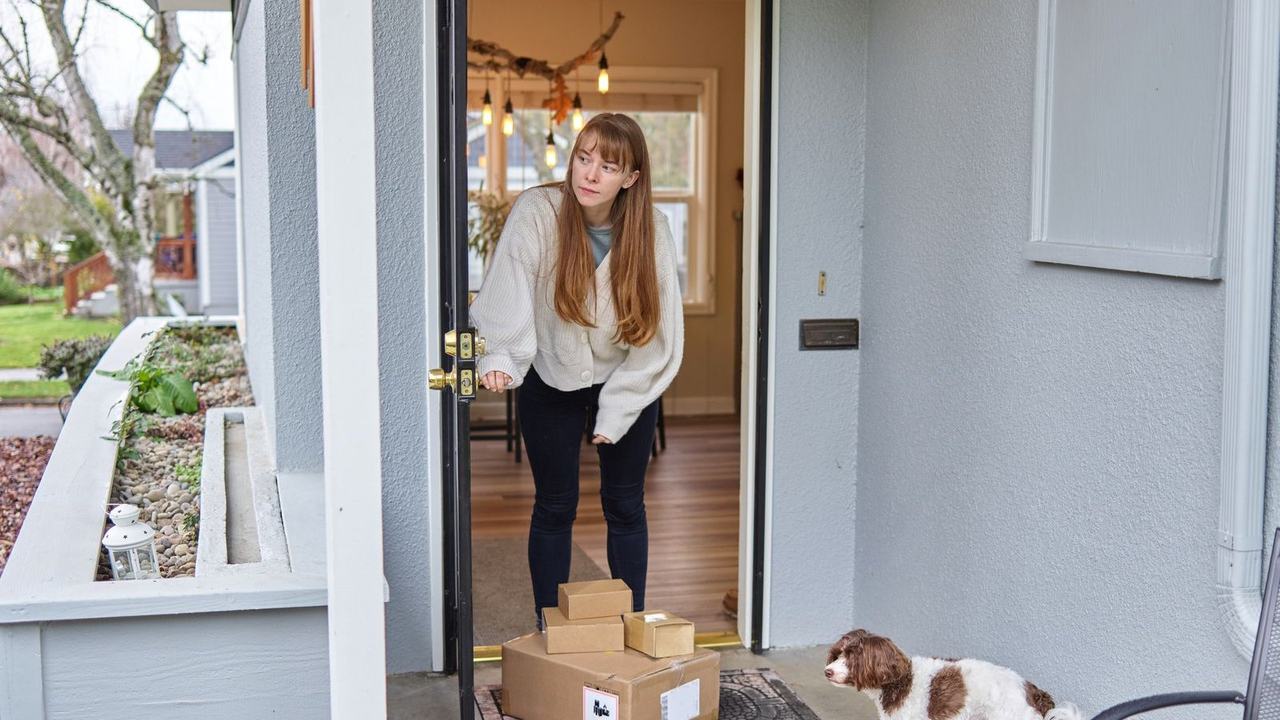
Front door deliveryPersonPackagePet
Front door14:32:09

Example footage and alerts

The problem

Your Cameras Record What Happens. But Who's Watching?

You may already have cameras at your front door, in your living room or across your driveway. But when you're at work, travelling or asleep, reviewing every camera feed isn't practical.

A family member could fall.

A child could enter an unsafe area.

An unfamiliar person could linger near your property.

Your pet could get into trouble.

KenHome uses AI-powered video monitoring to help identify selected events and notify you when something may need attention.

  • Worried about elderly parents at home?Receive alerts for supported fall events or unusual inactivity.
  • Want to keep children safer?Set up designated safe and restricted zones to help monitor activity.
  • Concerned about your pets?Monitor their activity and receive alerts for configured events or restricted-area entry.
  • Want better home security?Get notified about suspicious activity, unauthorised entry or unexpected movement in monitored areas.
  • Park your car outside?Monitor your driveway and receive alerts for supported vehicle-access or suspicious-activity events.
Features

One Smarter Way to Monitor Your Home

KenHome brings AI home security and safety monitoring into one solution, helping families keep track of important activity across camera-covered areas.

Dimly lit wooden house front door with steps and railing at night, no person inEntry · after hours
01

AI Home Security & Intrusion Detection

Know when something unusual happens around your home.

Monitor camera-covered entrances, outdoor areas and property boundaries. KenHome can identify configured intrusion events, restricted-area entry and suspicious activity, helping you investigate potential security concerns.

Elderly woman reclining on a pink sofa reading, seen from a distance in a calm lPerson · resting
02

Elderly Monitoring & Fall Detection

Extra peace of mind for the people you care about.

Use compatible cameras to monitor designated living areas and identify supported fall events or unusual inactivity. Alerts can help family members or designated caregivers check on a loved one when something may be wrong.

Two young children playing in a home garden with a toy wheelbarrow and wateringChildChild
03

Child Safety Monitoring

Keep an eye on the areas that matter most.

Define safe and restricted zones around your home. KenHome can alert you when configured activity, such as a child entering a restricted area, is detected by compatible cameras.

White and brown dog lying on a beige sofa with cushions, medium-wide shot [box 0Pet
04

AI Pet Monitoring

Know what your pets are getting into.

Monitor designated areas and receive alerts for supported activity, restricted-zone entry or potential hazards. Stay informed about your pet's activity even when you're not in the same room.

Silver sedan parked on a brick driveway in front of a garage and house at night,Vehicle
05

Driveway & Vehicle Security

Keep an eye on your vehicle, even when you're indoors.

Monitor your driveway and parking areas for unexpected vehicle access, suspicious activity and supported tampering-related events. Receive alerts so you can review what's happening around your vehicle.

Hand holding a generic smartphone with a blank white screen in a warm candlelitAlert sent
06

Real-Time Alerts & Video Evidence

Get the context you need when an alert arrives.

Receive notifications for configured events through supported alert channels. Review available timestamps, camera details and video clips to better understand what triggered the alert.

How it works

From Your Existing Cameras to Smarter Home Monitoring

KenHome adds AI-powered monitoring to compatible cameras, helping you identify selected events without having to watch every screen yourself.

  1. 01

    Connect Your Existing Cameras

    Integrate compatible indoor, outdoor, doorbell or driveway cameras with KenHome. Reuse your current setup where supported, subject to camera compatibility and deployment requirements.

  2. 02

    Set Up Your Monitoring Zones

    Choose the areas you want to monitor, such as entrances, living spaces, driveways or designated restricted zones. Configure the events and alerts relevant to your household.

  3. 03

    Let AI Monitor for Selected Events

    KenHome analyses supported camera feeds to identify configured events, such as potential falls, unusual inactivity, restricted-zone entry and suspicious activity.

  4. 04

    Receive Alerts When Something Needs Attention

    When a configured event is detected, KenHome can notify designated family members or caregivers through supported channels. Review the available event information and decide what action is needed.

See KenHome in Action

Who it's for

Smart Home Monitoring for the People and Places You Care About

Families with Children

Monitor selected areas, establish restricted zones and receive alerts when configured safety events occur.

Families Caring for Elderly Parents

Get additional visibility into selected living spaces and receive alerts for supported fall events or unusual inactivity, helping you check in when needed.

Pet Owners

Monitor pet activity in camera-covered areas and receive notifications for supported events or entry into designated restricted zones.

Homeowners

Monitor entrances, property boundaries and outdoor areas to identify unexpected activity and potential security concerns.

Vehicle Owners

Keep track of activity around driveways and parking areas through compatible cameras and configured alerts.

Families Who Travel Frequently

Stay informed about selected activity around your property while you're away, subject to your camera setup, connectivity and monitoring configuration.

More on residential

Real-world example

You Can't Be Everywhere at Once. Your Home Monitoring Can Be Smarter.

Imagine you're at work while an elderly parent is home alone.

You can't keep checking a live camera feed throughout the day. But you still want to know if something happens that requires your attention.

With KenHome, compatible cameras can monitor designated living areas for supported events, such as a potential fall or unusual inactivity.

If a configured event is detected, the system can notify a designated family member or caregiver, who can check the available video context and decide what to do next.

The same approach can help you monitor restricted areas for children, activity around pets or unexpected movement near your driveway.

Instead of constantly checking cameras, receive relevant alerts when configured events need your attention.

10:42

now
Possible fall · Living room

No movement for 2 minutes after a possible fall. Tap to view the clip.

View clipCall Mum
Driveway · vehicle parked

No activity since 08:15.

  1. Possible fall detectedLiving room camera
    Alert
  2. No movement for 2 minutesCaregiver and family notified
    Alert
  3. Family member reviews clipCalls to check in
    Action

Example footage and notification

Why KenHome?

More Than Home Security. More Awareness of Everyday Life.

Make More of Your Existing Cameras

Use compatible cameras you already have instead of necessarily replacing your entire home monitoring setup.

Get Alerts Instead of Watching Every Feed

Automate supported event detection and reduce the need to continuously check live camera footage.

Monitor More Than Intruders

Go beyond traditional home security with supported monitoring for elderly family members, children, pets and vehicles.

Keep Family Members Informed

Configure supported notifications for designated family members or caregivers so the right people can respond when needed.

Review Events with Context

Use available timestamps and video evidence to understand what triggered an alert and decide on the appropriate response.

Configure Monitoring Around Your Home

Set up supported cameras, zones and event rules according to your household's needs and deployment capabilities.

FAQ

Frequently asked questions

What is KenHome?

KenHome is Intelense's AI-powered home security and monitoring solution. It uses compatible camera feeds to help identify configured security and safety events involving property access, elderly monitoring, children, pets and vehicles.

How is KenHome different from a regular home security camera?

A traditional security camera primarily records footage and may provide basic motion notifications. KenHome adds AI-powered event analysis to help identify selected activities and provide more context about what may need attention.

Can KenHome work with my existing security cameras?

KenHome is designed to work with compatible existing cameras, including supported indoor, outdoor and driveway setups. The exact compatibility depends on the camera model, video stream and deployment configuration.

Can KenHome detect falls in elderly people?

KenHome supports camera-based fall monitoring in compatible setups. Detection depends on camera placement, visibility and configuration. Alerts should supplement regular care arrangements and must not be treated as a replacement for emergency response or medical monitoring.

Can KenHome help keep children safe at home?

KenHome can monitor configured zones and flag supported events, such as entry into a designated restricted area. It provides an additional layer of awareness, not a guarantee that every unsafe situation will be detected.

Can I use KenHome to monitor my pets?

Yes, supported pet-monitoring features can help you review activity in camera-covered areas and receive configured alerts for selected events or restricted-zone entry.

Can KenHome monitor my driveway and parked car?

KenHome supports driveway and vehicle monitoring through compatible cameras and configured detection capabilities. Available alerts depend on the setup and events the system is configured to recognise.

How quickly does KenHome send alerts?

Alert speed depends on the event type, deployment configuration, network connectivity and notification channel. Contact Intelense for the expected performance of your proposed setup.

Does KenHome use facial recognition?

KenHome's published configuration describes zone-based rules and behaviour patterns rather than facial recognition for distinguishing expected activity from potential threats. Confirm the exact configuration and privacy settings with Intelense before deployment.

Can multiple family members receive alerts?

KenHome supports configurable family access according to the published product information. Available permissions, notification channels and access controls depend on the deployed configuration.

Does KenHome replace a professional security system or caregiver?

No. KenHome is intended to support home security and family awareness. It does not replace professional security arrangements, direct supervision, caregiving or emergency services.

How much does KenHome cost?

Pricing depends on factors such as the number of cameras, monitored zones, required features and deployment configuration. Contact Intelense for a quote based on your home's needs.

How can I get started with KenHome?

Book a demo with Intelense. Share your home layout, existing camera setup and monitoring priorities so the team can help you understand the suitable configuration.


Get started

More Peace of Mind for the People Who Matter Most.

From home security and driveway monitoring to elderly, child and pet safety, KenHome helps you stay informed about important events at home.

Make your existing cameras more useful with AI-powered monitoring and alerts.

Tell us about your home, your existing cameras and what you want to monitor. We'll help you explore the right KenHome setup.

KenHome by Intelense | Intelligence at the Edge.